
FamilyChart v1.0.0 launched on 7 September 2026, and it began with a fairly ordinary problem. Most medication reminder apps are built for one person with one list of tablets. Real households rarely work that way. A parent keeps an asthma preventer in the kitchen cupboard, a teenager takes a daily supplement, a grandparent has a blister pack with four different times of day, and someone else is tracking blood pressure readings that need to sit alongside all of it.
FamilyChart is a family medication and health tracking app that lets a household log medications, dosages, health observations and schedules for multiple family members in one place. It is available as a managed cloud subscription or as free open-source software you can self-host. This article explains what shipped in version 1.0.0, how the reminders work, and how to decide which hosting option suits your family.
Why a household app instead of four separate ones
When each family member has their own reminder app, nobody has the full picture. Two people may not realise a child's dose was already given. A carer arriving for the evening shift has no quick way to see what happened that morning. A pharmacist asking for a medication history gets a rough verbal summary rather than something written down.
FamilyChart is designed around the sharing problem rather than the reminder problem alone. Every medication, dose log and observation belongs to a person in the household, and access is controlled by role so that the right people can see and change the right things. That structure matters for Australian families juggling school runs, shift work and caregiving responsibilities that often fall on one or two people.
What FamilyChart v1.0.0 includes
The first release covers four areas: medication tracking, health observations, scheduling and charting, and shared access. Each one has been built with more than one family member in mind.
Medication tracking and dose logging
You can record each medication with its dosage, then log doses as they are taken. A few details are worth calling out:
Dose logging keeps a timestamped record of what was given and when.
PRN, or as-needed, medications prompt you to record a dose rather than telling you to take one, which suits pain relief and similar medicines.
Daily limits let you set a maximum for as-needed medications so the history shows when a limit has been reached.
PRN prompts and daily limits are record-keeping tools. They do not replace instructions from a doctor or pharmacist, and any questions about how often a medication can safely be given should go to a health professional.
Health observations alongside medications
Medication rarely exists in isolation. FamilyChart records health observations so the numbers sit in the same timeline as the doses. The supported observations include:
Temperature
Blood pressure
Blood glucose
Weight and height
Hydration
Having these in one place is useful during a GP appointment, when a pattern across weeks is more informative than a single reading remembered from yesterday.
Schedules, reminders, goals and reference lines
Schedules define when a medication or observation is due, and reminders are delivered through the app. Goals let a household set a target for something like hydration or weight, and reference lines give readings a visual context on the chart. History and timeline charts are rendered as SVG, so they stay sharp on any screen size and remain readable when you scroll back through months of entries.
Shared access with role-based permissions
Not everyone in a household needs the same level of access. FamilyChart uses role-based permissions so each person sees only what is appropriate for them:
Read-only for people who need visibility but should not change records.
Read and write for everyday logging.
Management for setting up medications, schedules and goals.
Admin for household-level control.
Self-managed acres for users to record their own data without being able to see the whole household.
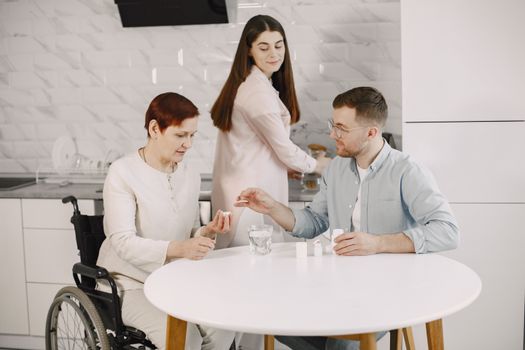
This is the part that separates a shared household tool from a personal tracker. A grandparent can be given read-only access to their own chart, a paid carer can be given read and write for logging only, and a parent keeps management control.
Reminders that follow you between devices
FamilyChart is a progressive web app, which means it runs in a browser and can be installed to a home screen on a phone or tablet. Reminders arrive through push notifications, and quick actions let you log a dose without opening the full app and tapping through several screens.
Because it works across devices, the same household can log from a kitchen tablet, a phone at work and a laptop in the evening. Browser and operating system support for push notifications does vary, so it is worth testing a reminder on each device you plan to rely on before you commit to a routine.
Managed hosting or self-hosting
FamilyChart comes in two forms. The managed option runs on FamilyChart's infrastructure, while the self-hosted option runs on hardware you control. Both use the same application.
Option | How it works | Cost and licence |
|---|---|---|
Managed cloud subscription | FamilyChart hosts and maintains the service. Sign-up and billing are handled through Stripe. | A$9 per month or A$90 per year at early release pricing. |
Self-hosting | You run the software yourself, with deployment material published on GitHub and Docker available for setup. | Free to self-host. The source is released under AGPL-3.0. |
The honest trade-off is maintenance against convenience. Managed hosting means updates and uptime sit with someone else, which suits most families. Self-hosting means your data stays on your own hardware, which appeals to privacy-conscious households and anyone who already runs a home server. Early release pricing may change as the product develops, so check the current pricing on the site before subscribing.
Who FamilyChart is built for
The primary audience is Australian families and households managing medications and health for more than one person. That includes parents of young children, adults supporting an elderly parent, and anyone coordinating care across a few addresses. The secondary audience is technically capable self-hosters who want their family's health data on their own equipment rather than someone else's servers.
It is not a clinical tool. FamilyChart tracks and records what a household enters. It does not diagnose, adjust doses, or offer medical advice, and it should not be treated as a substitute for a pharmacist, GP or specialist.
Try the demo before you sign up
FamilyChart includes a demo environment built around the fictional Whitlock family, an Adelaide household. The demo lets you explore medication lists, dose logs, observations and charts without entering any real information about your own family. It is the fastest way to see whether the structure matches how your household actually operates, particularly the role permissions and the PRN workflow.
How FamilyChart fits a crowded app market
Medication reminder apps are plentiful. Store listings include Pill & Medication Reminder, Med: Medication Reminder, Medication Reminder & Tracker, RemindMe, MediTrack, HandyMeds and Dosewell, among many others. Academic interest in the category goes back years: a University of Sydney news item from 2018 reported a review that rated Medisafe as the top ranking interactive app for people on heart medication, noting that some other apps were being updated at the time.
Those apps largely solve the single-user problem. If your main need is one person's tablets with a reliable alarm, a simpler dedicated reminder may be enough. FamilyChart makes more sense when several people need to see, log or manage the same information, and when observations such as blood pressure or blood glucose belong in the same record as the medications.

Getting started
Set up one household member first, add their medications and schedule, then invite the others and assign roles. Log a few doses and one observation, and check that a reminder reaches the devices you will actually carry. If you choose self-hosting, work through the GitHub and Docker material before moving real data across. Whichever route you take, involve the people whose health information you are recording, and keep prescriptions and pharmacist advice as the source of truth for anything clinical.
Frequently Asked Questions
Is there an app that reminds you when to take medication?
Yes, there are many. App stores list options such as Pill & Medication Reminder, RemindMe, MediTrack, HandyMeds and Dosewell, all of which focus on reminders and pill tracking. FamilyChart takes a household approach instead, so several family members can share medication lists, dose logs and health observations with different levels of access.
How do I set a medication reminder on my phone?
With a dedicated app, you add the medication, set its dosage and schedule, then allow notifications. In FamilyChart, reminders are delivered through push notifications in the progressive web app, and quick actions let you log a dose straight from the notification. Test the reminder on each device you plan to rely on, because browser support varies.
What is the difference between managed hosting and self-hosting?
Managed hosting means FamilyChart runs the service for you and handles updates, billed at A$9 per month or A$90 per year at early release pricing through Stripe. Self-hosting means you run the software on your own hardware using the GitHub and Docker material, free of charge, under the AGPL-3.0 licence. Both use the same application.
Can more than one person manage the same medication list?
Yes. FamilyChart uses role-based access, so a household can assign read-only, read and write, management or admin permissions to different people. Self-manages access lets an older child manage their own entries without being able to see the whole household. This means a carer can log doses without being able to change the underlying medication setup.
Does FamilyChart replace advice from a doctor or pharmacist?
No. FamilyChart is a tracking and record-keeping tool for households. It does not diagnose conditions, recommend dosages or provide clinical advice, and its PRN prompts and daily limits only record what has been entered. Always follow the instructions from your prescriber or pharmacist, and raise any medication questions with them directly.